From a few examples,
a thousand documents.
Upload finished Word documents and DocForge turns them into a reusable template and writes the next ones for you. Same layout, new content.
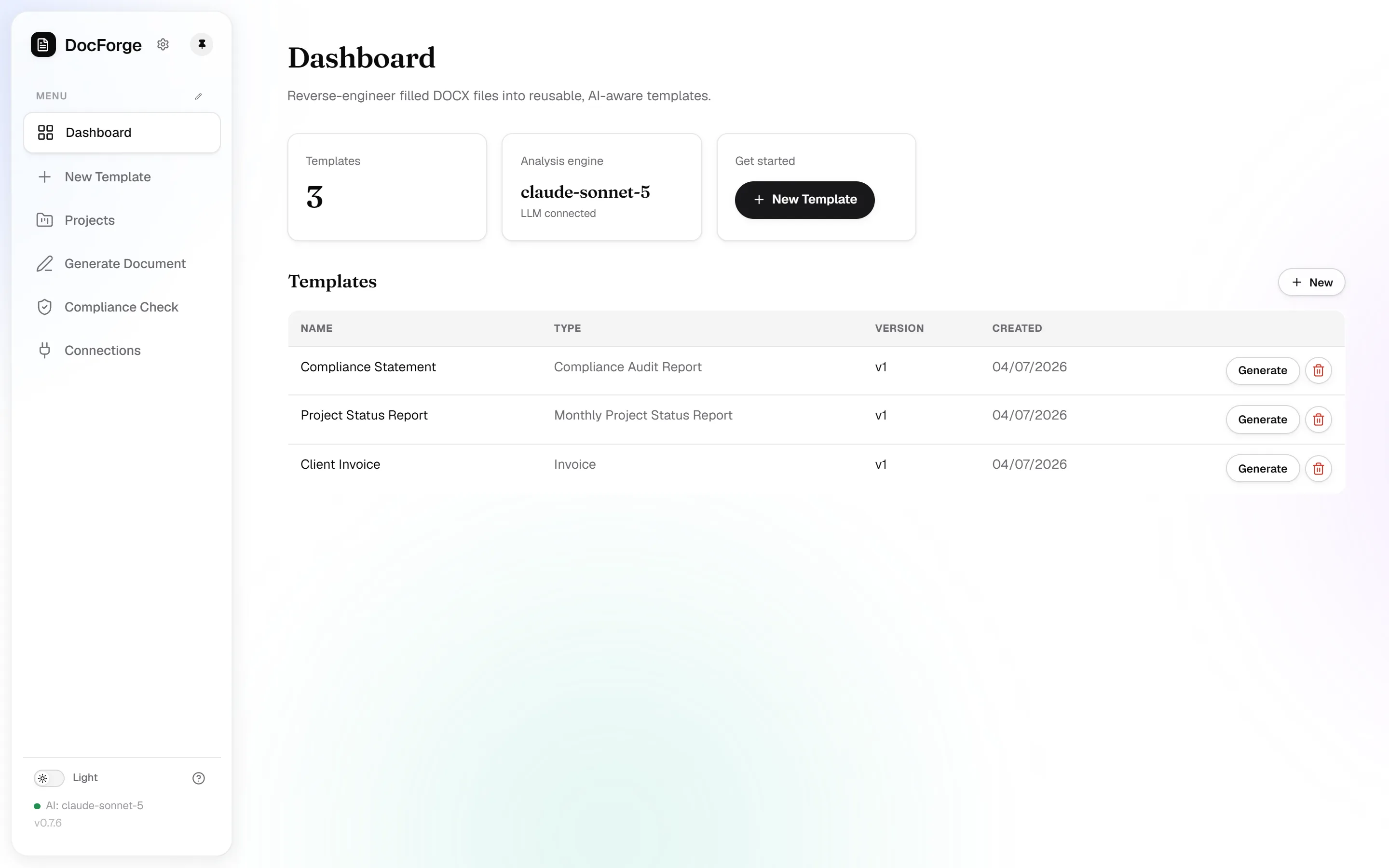
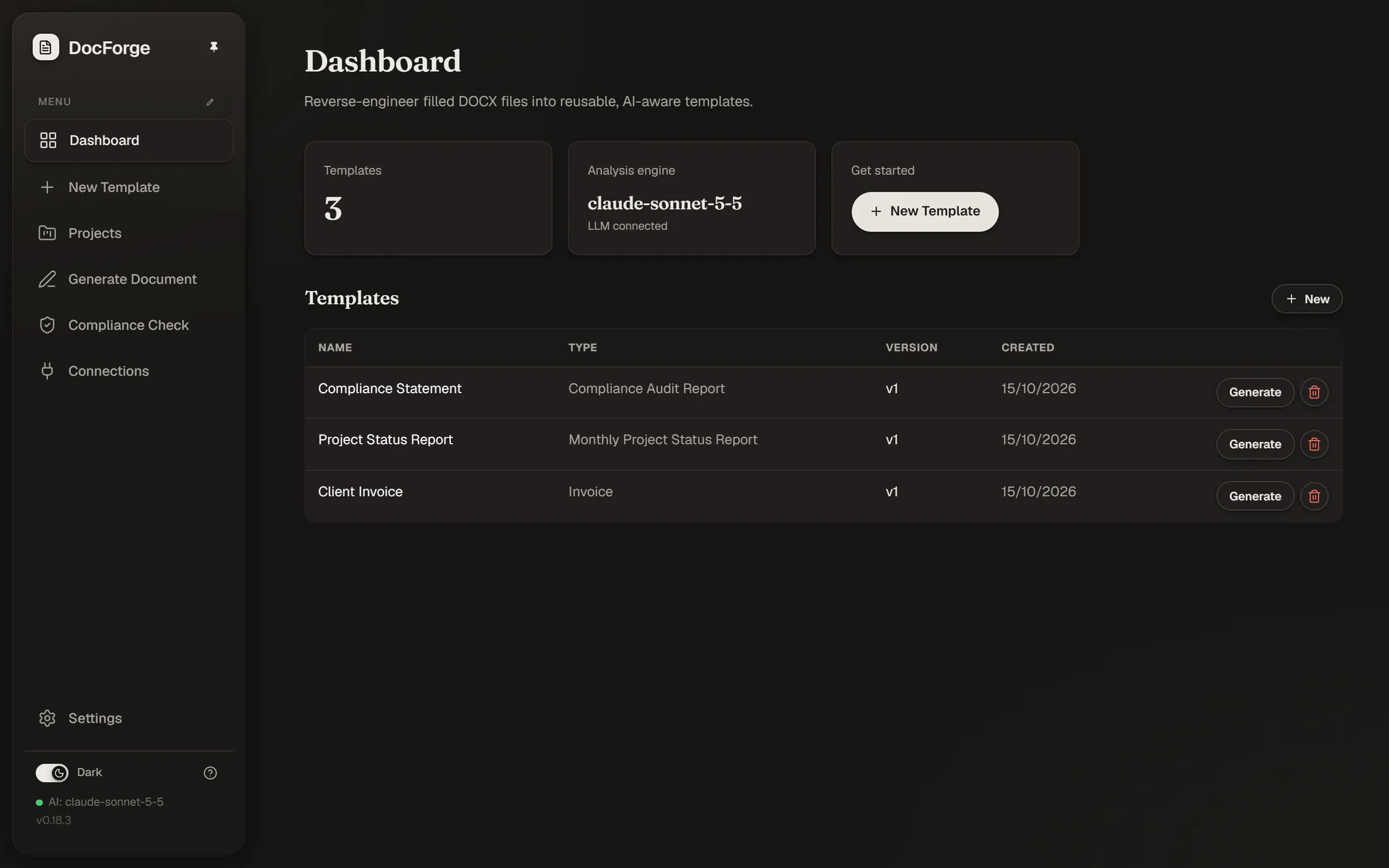
Templates from documents you already have.
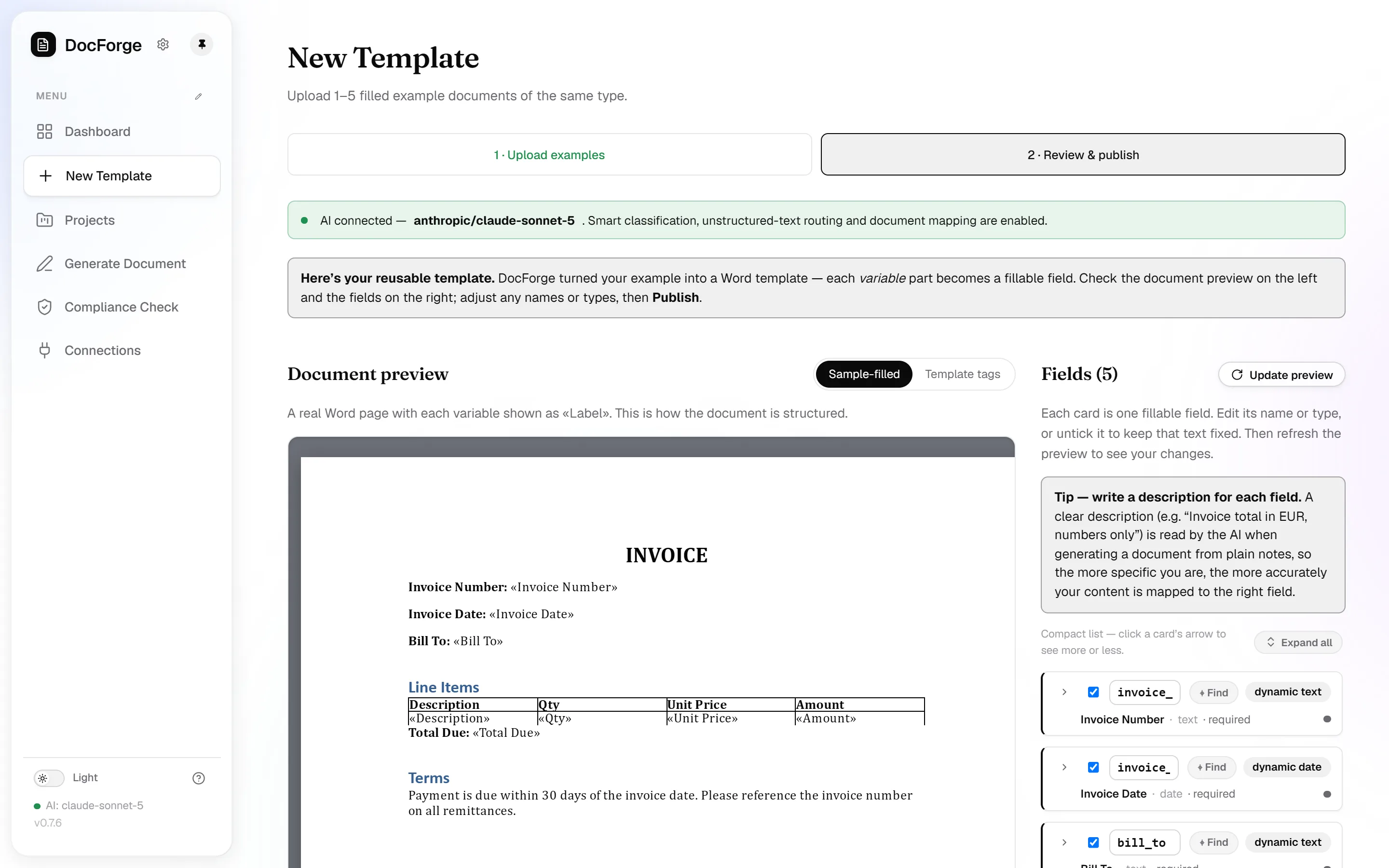
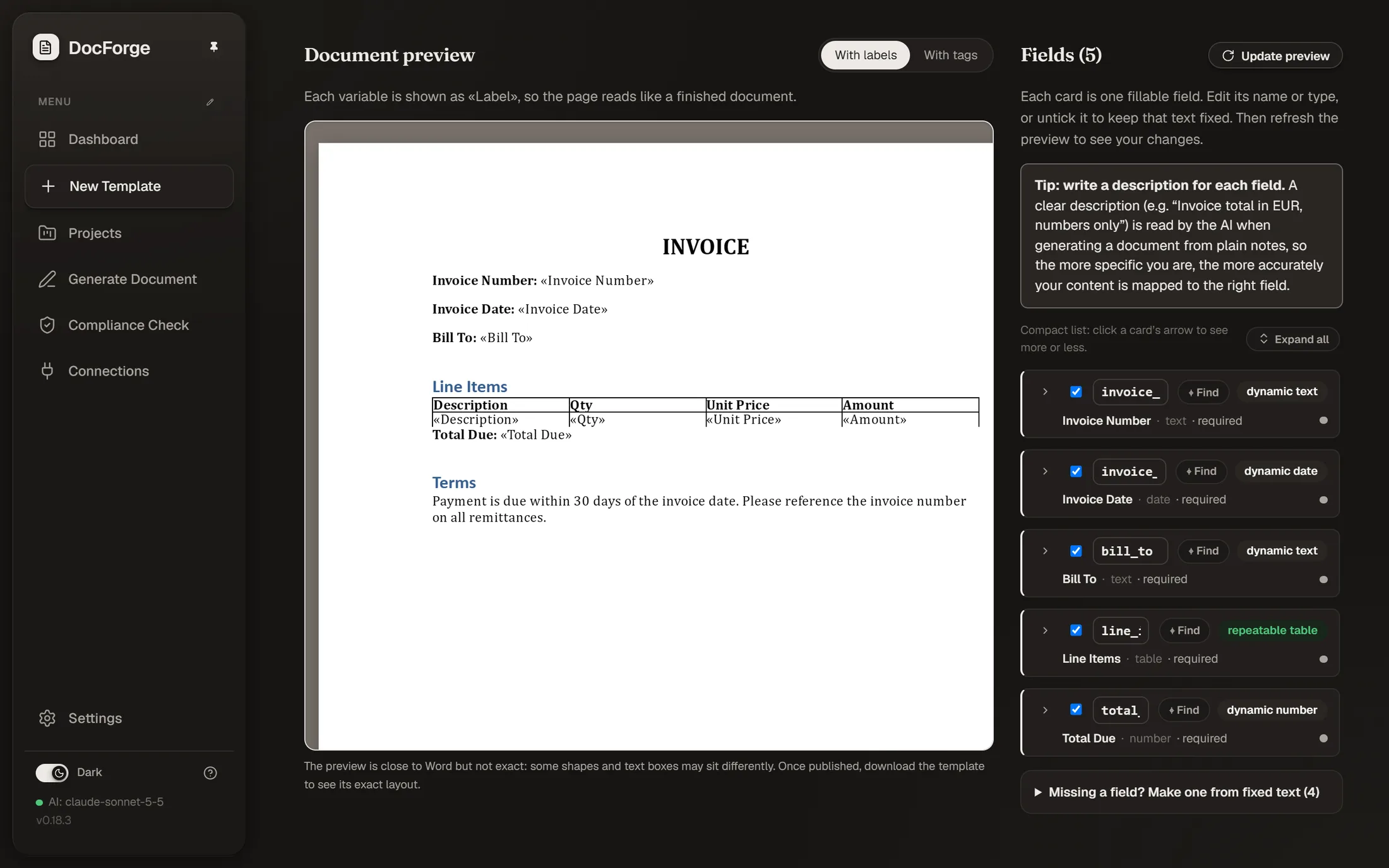
Upload one to five finished .docx files and DocForge builds a reusable template from them. Generate new documents from a form, notes, a filled document, or JSON. Check documents that come back edited against the template.
Your layout stays untouched, fonts, tables, headers, everything. See the full walkthrough
Your data, your choice of AI.
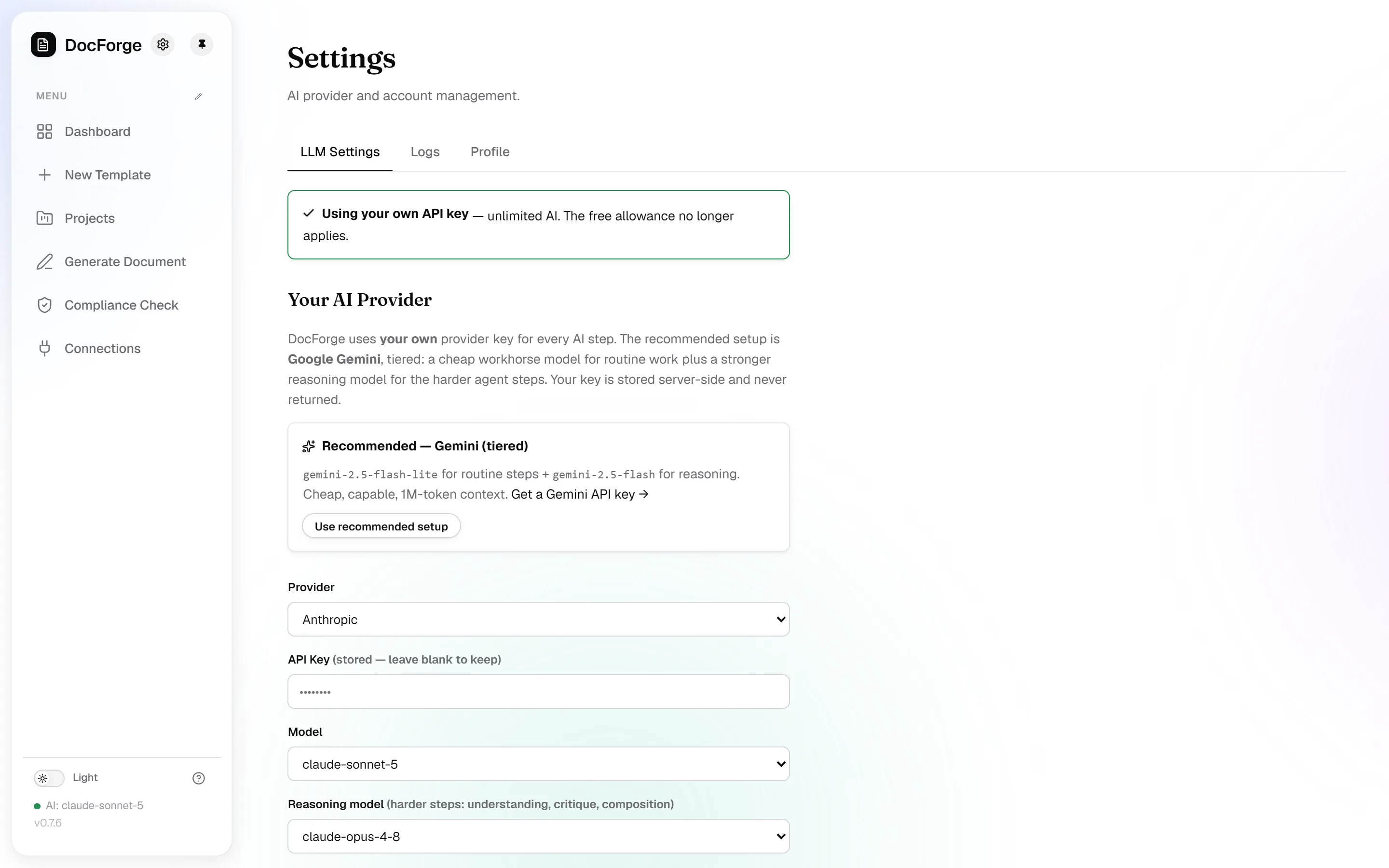
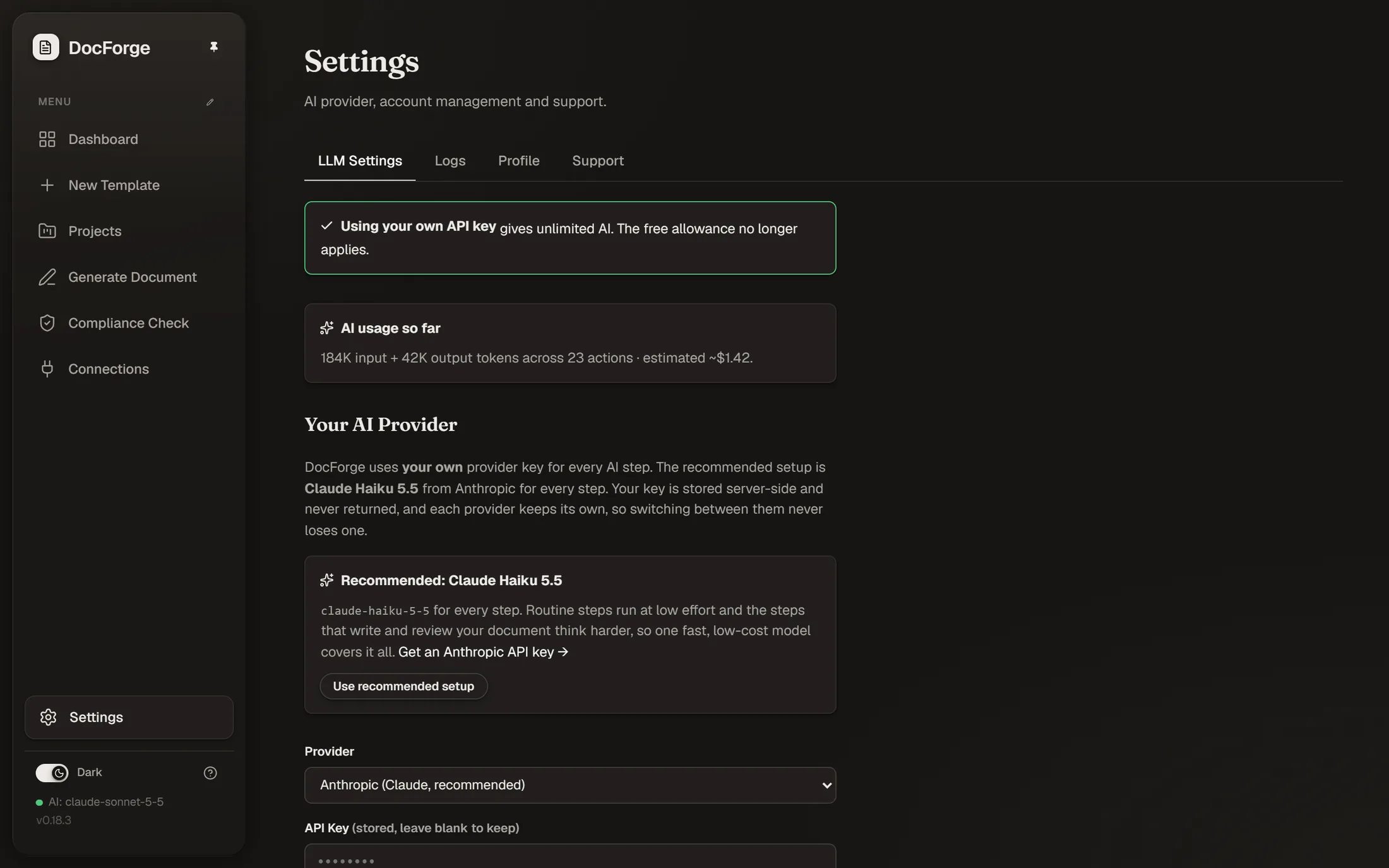
Documents are processed inside your DocForge instance. Every cloud account includes 10 free AI actions on our AI provider, Anthropic's Claude Haiku 5.5. After that, AI runs only with your own key, under your agreement with that provider: Anthropic, OpenAI, Gemini, DeepSeek or OpenRouter, or a local model when you self-host. Keys are stored server-side and never returned to the browser. With AI off, a deterministic engine does the work.
Generated documents are deleted automatically within 14 days (configurable). Accounts are strictly isolated, and you can delete your account and all its data yourself.
Try it hosted or run your own.
Try DocForge in the hosted prototype, or run your own copy on a single Docker host or a serverless platform with Postgres.
The hosted app is a prototype, so don't upload confidential documents there. For real documents, run your own copy. Source code on GitHub
Check any document against its template.
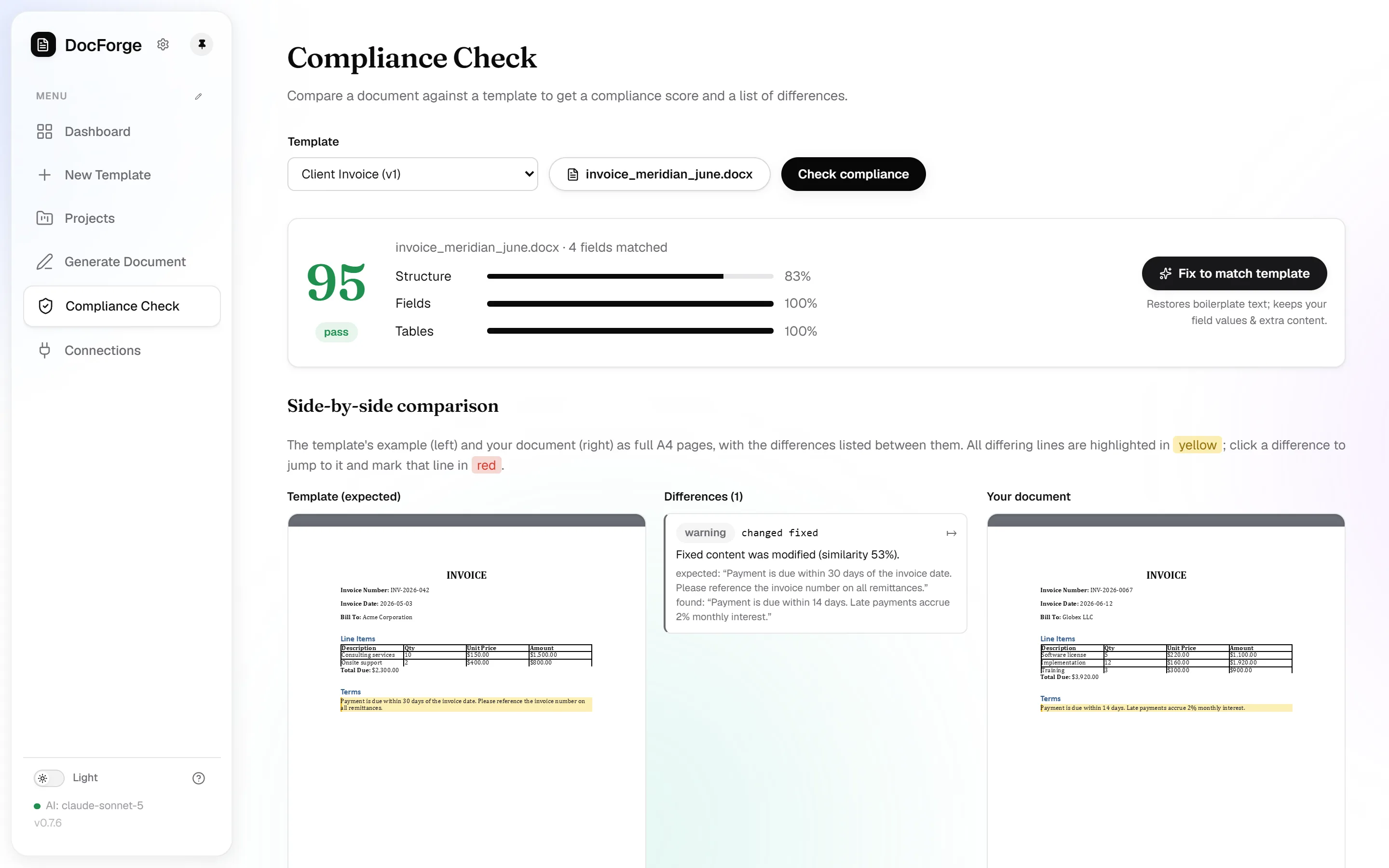
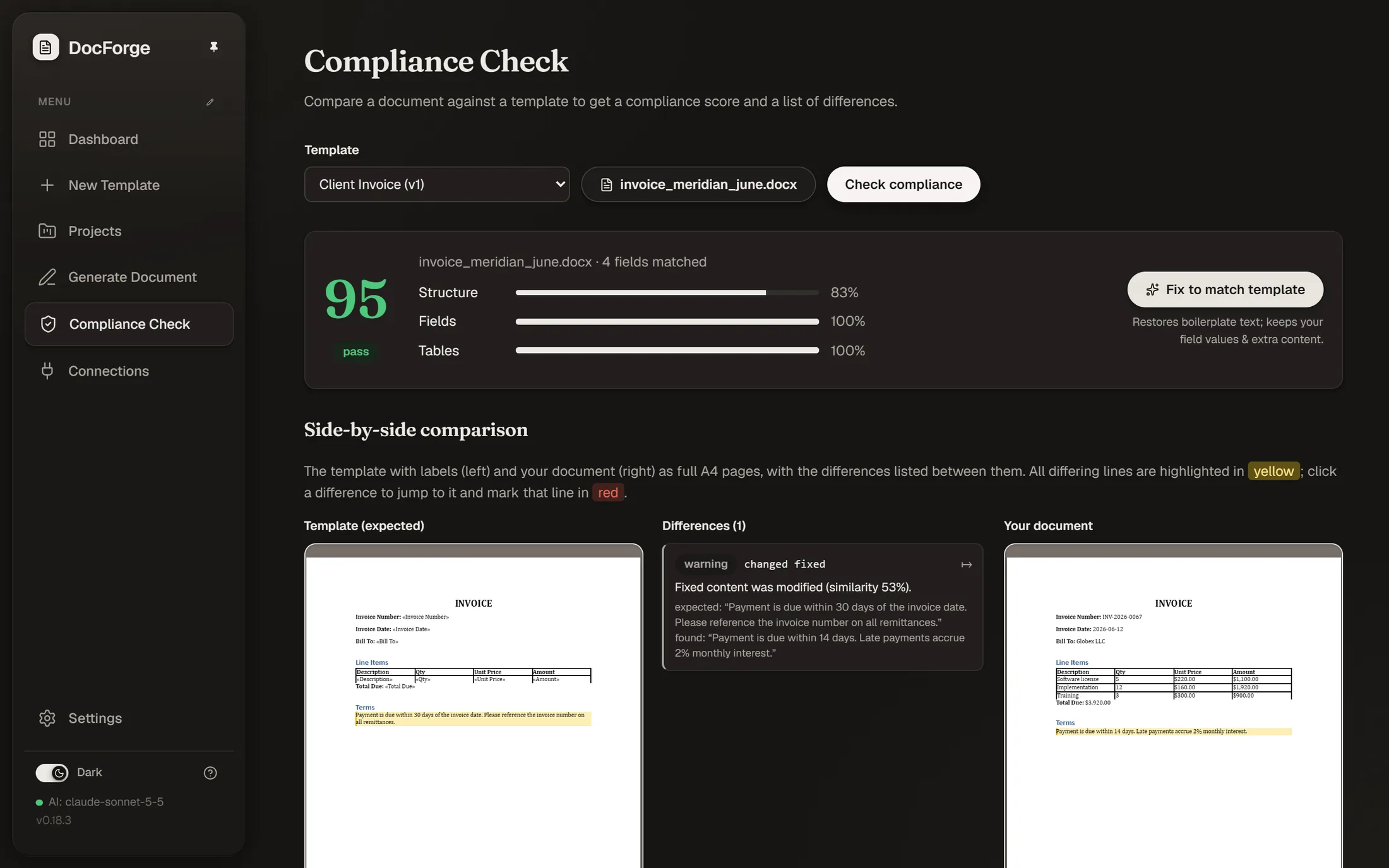
When a document comes back edited, upload it and compare it with the template it came from. You get a compliance score, every difference highlighted in place, and a one-click fix that downloads a corrected file.
The score and the differences are deterministic, same input, same result. With AI on, an AI reviewer also flags which differences matter.
Everything around it.
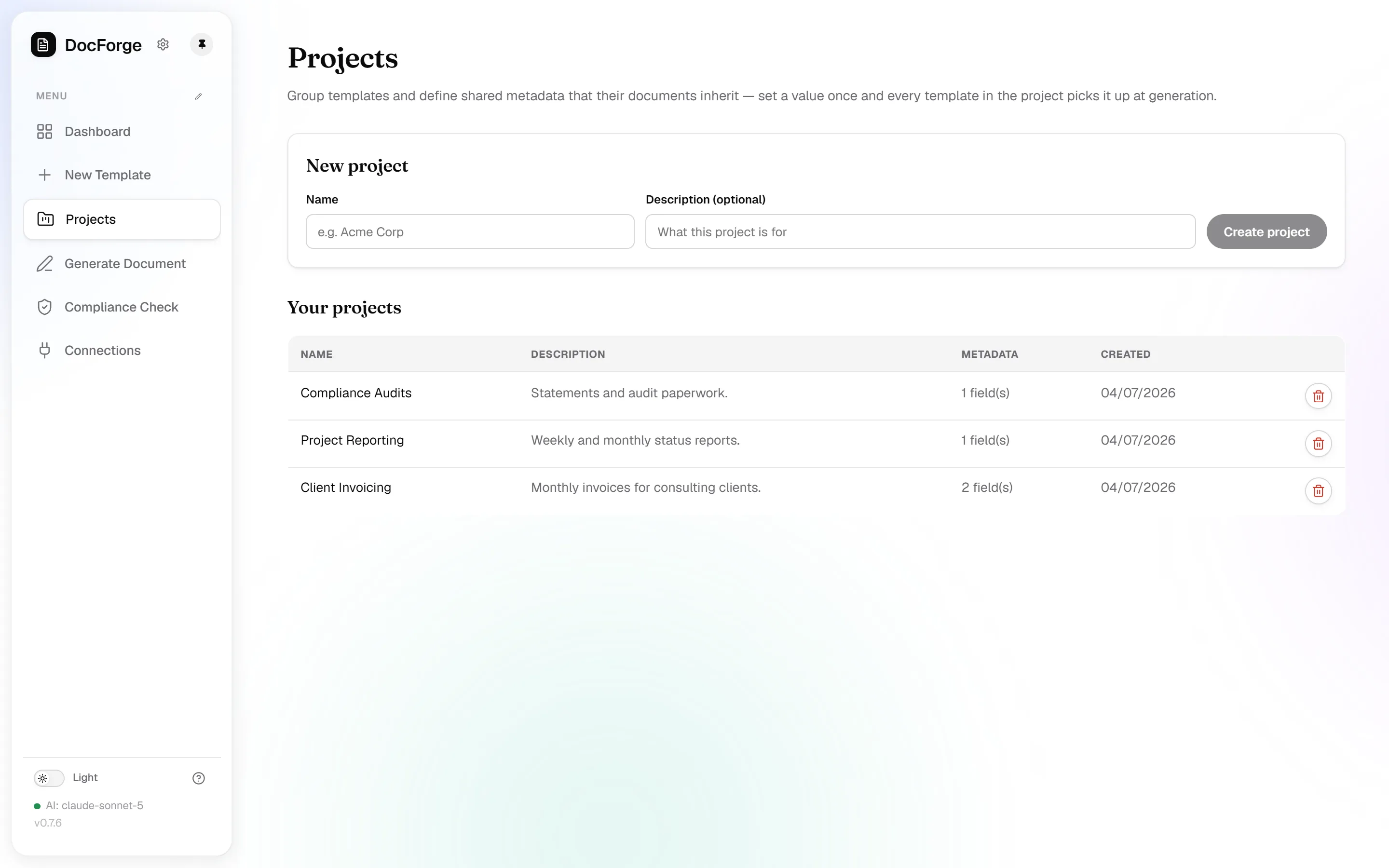
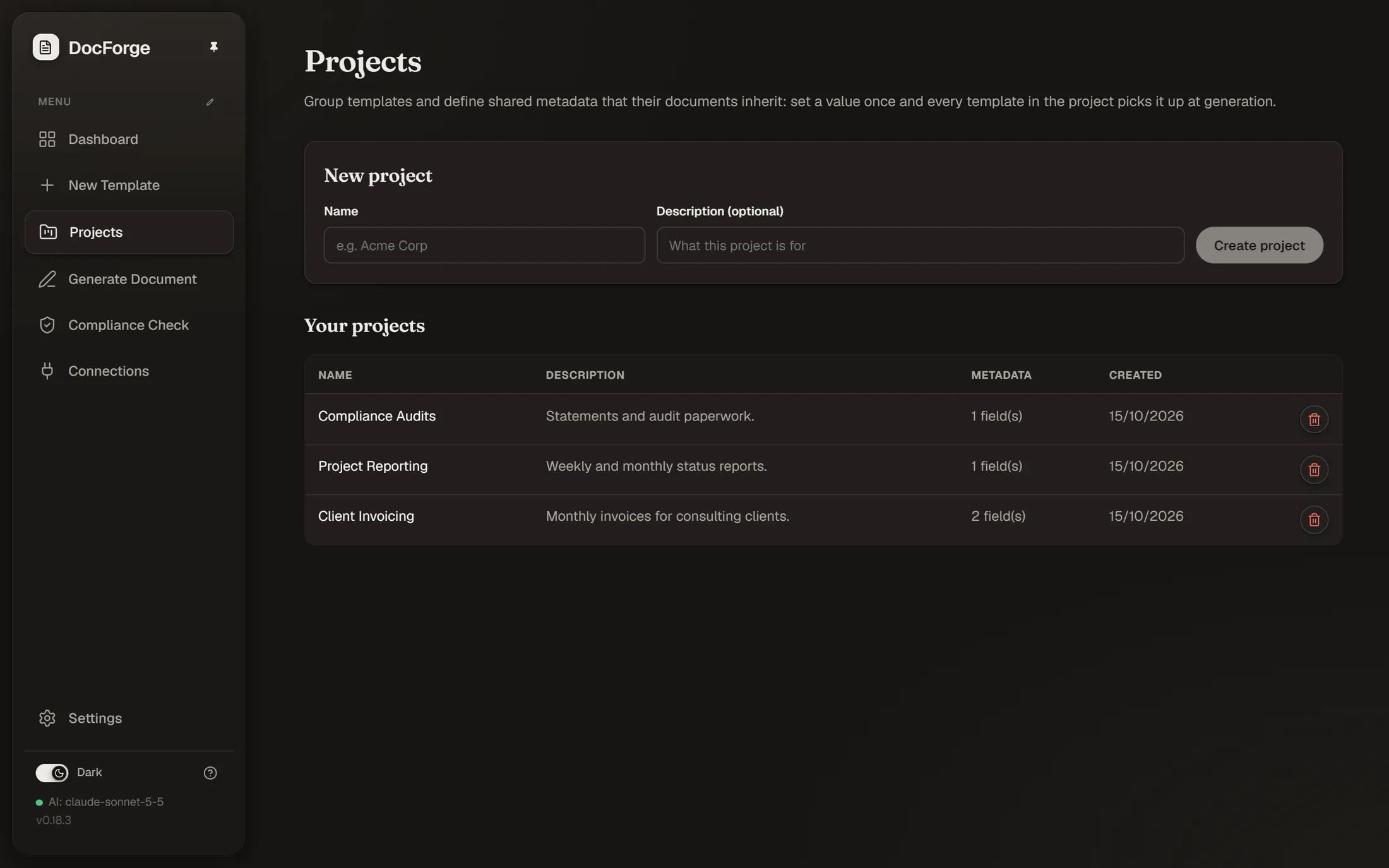
Projects
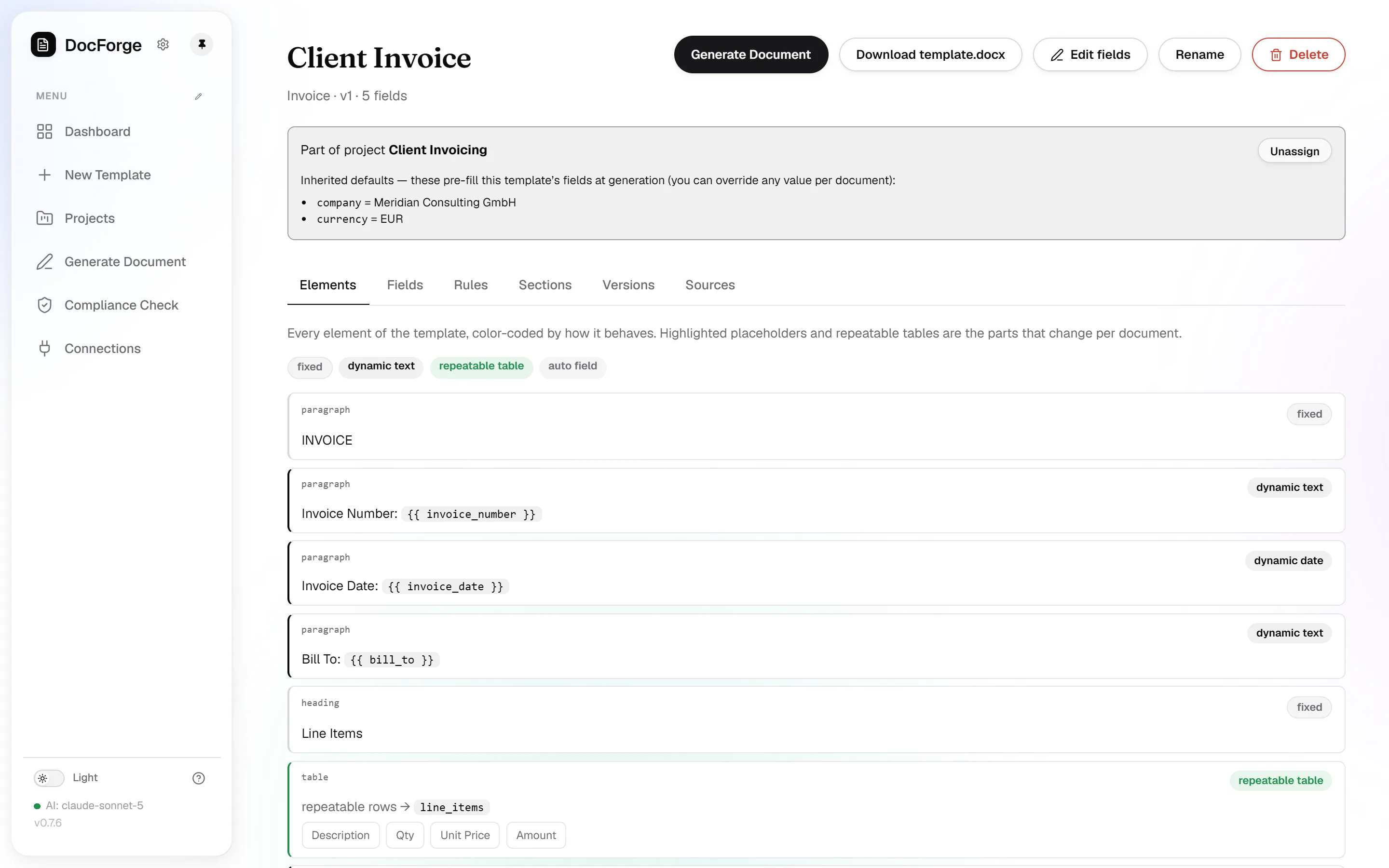
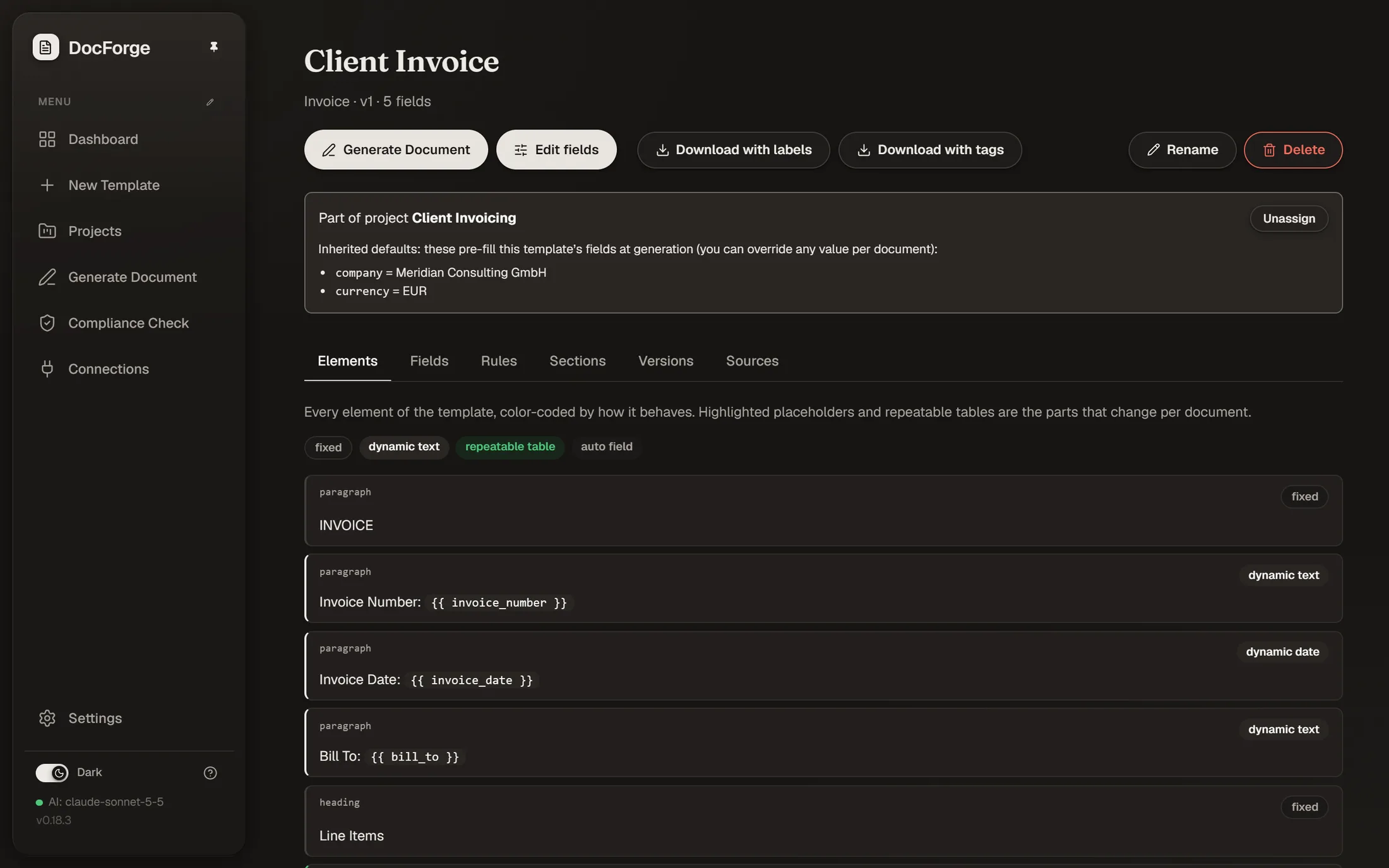
Group templates by client or team. Shared metadata is set once on the project and filled in automatically.
Versions
Every publish is a new immutable version, with source documents and history kept on the template.
REST API Coming soon
Analyze, generate, route and compliance-check over HTTP.
Costs you can see
Token and cost reporting on every AI action, plus lifetime totals. You always know what a run cost.
Run it yourself.
DocForge is open source under the MIT License. Run it on your own infrastructure for real documents. Questions? Email us at support@docforge.live
Start with what you have.
Your finished documents are the only setup DocForge needs. No card, no time limit.
DocForge is a work in progress and still under active development, so expect rough edges. The hosted app is a prototype, please don't upload confidential documents. If anything looks wrong or you need help, email us at support@docforge.live.